Follow Techotopia on Twitter

On-line Guides
All Guides
eBook Store
iOS / Android
Linux for Beginners
Office Productivity
Linux Installation
Linux Security
Linux Utilities
Linux Virtualization
Linux Kernel
System/Network Admin
Programming
Scripting Languages
Development Tools
Web Development
GUI Toolkits/Desktop
Databases
Mail Systems
openSolaris
Eclipse Documentation
Techotopia.com
Virtuatopia.com
Answertopia.com

How To Guides
Virtualization
General System Admin
Linux Security
Linux Filesystems
Web Servers
Graphics & Desktop
PC Hardware
Windows
Problem Solutions
Privacy Policy


29.12. Saving the File

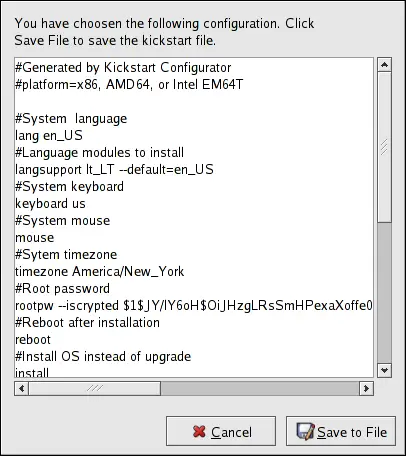
To review the contents of the kickstart file after you have finished choosing your kickstart options, select File => Preview from the pull-down menu.

Preview

Figure 29.17. Preview

To save the kickstart file, click the Save to File button in the preview window. To save the file without previewing it, select File => Save File or press Ctrl-S . A dialog box appears. Select where to save the file.

After saving the file, refer to Section 28.10, “Starting a Kickstart Installation” for information on how to start the kickstart installation.



  Published under the terms of the GNU General Public License Design by Interspire