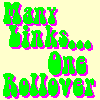
|
Each of these links changes the image when the mouse is over the link |
Many Links, One Rollover: The <IMG ...> Tag
To set the image for doing many-link-one-image rollovers, we add one attribute to the
<IMG ...> tag:
NAME. After the tag we add a short script which loads the images used for the rollover. For example, this code configures the image for using five different images:
<IMG
   SRC="imagedefault.gif"
   WIDTH=100 HEIGHT=100 ALT="Many Links, One Rollover"
   NAME="showperson"
   >
<SCRIPT TYPE="text/javascript">
<!--
setswap("showperson",
   'starflower', 'starflower2.gif',
   'allen',      'allen.gif',
   'jimmy',      'jimmy.gif',
   'paul',       'paul.gif',
   'miko',       'miko2.gif'
   );
//-->
</SCRIPT>
The first part of the tag is pretty normal: it sets the
SRC,
HEIGHT,
WIDTH, and
ALT attributes. The picture named in the
SRC
attribute is what will be displayed when the mouse is not over any link. After that we have a NAME attribute:
NAME="showperson". The image must have a name so that we can refer to it in the link tags.
After the <IMG ...> tag we have a short script which loads the other images which are used in the rollover. The script has only one command, setswap(). The parameters for setswap() consist of a two-column list of images. Two pieces of information are passed for each image. In the first column is a nickname for the image. The second column has the source for the picture. This list can be as long as you like. Be sure that there is a comma after every nickname and after every source except for the last source in the list. Also, don't forget to put a closing paren after the list.
Now we create the links which trigger the rollover.