For someone new to Perl programming, the warning and error messages
output by Perl can be confusing and worrysome. In this section we
will show you how to interpret Perl's messages, and
how to track down and solve the problems that cause them.
21.1.1. The Importance of Warnings
Just like
errors, Perl's optional
warnings, if they are enabled, go to the
error_log file. You have enabled them in your
development server, haven't you? We discussed the
various techniques to enable warnings in Chapter 4 and Chapter 6, but we will
repeat them in this section.
The code you write lives a dual life. In the first life it is
written, tested, debugged, improved, tested, debugged, rewritten,
retested, and debugged again. In the second life
it's just used.
A significant part of the script's first life is
spent on the developer's machine. The second life is
spent on the production server, where the code is supposed to be
perfect.
When you develop the code you want all the help you can get to spot
possible problems. By enabling warnings you will ensure that Perl
gives you all the help it can to identify actual or potential
problems in your code. Whenever you see an error or warning in the
error_log, you must try to
get rid of it.
But why bother, if the program runs and seems to work?
-
The Perl interpreter issues warnings because it thinks that
something's wrong with your code. The Perl
interpreter is rarely wrong; if you ignore the warnings it provides,
you may well encounter problems later, perhaps when the code is used
on the production server.
-
If each invocation of a script generates any superfluous warnings, it
will be very hard to catch real problems. The warnings that seem
important will be lost amongst the mass of
"unimportant" warnings that you
didn't bother to fix. All warnings are important,
and all warnings can be dealt with.
On the other hand, on a production server, you really want to
turn warnings off. And there are good
reasons for this:
-
There is no added value in having the same warning showing up, again
and again, triggered by thousands of script invocations. If your code
isn't very clean and generates even a single warning
per script invocation, on the heavily loaded server you will end up
with a huge error_log file in a short time.
The warning-elimination phase is supposed to be a part of the
development process and should be done before the code goes live.
-
In any Perl script, not just under mod_perl, enabling runtime
warnings has a performance impact.
mod_perl provides a very simple solution to handling warnings, so you
should avoid enabling warnings in the scripts themselves unless you
really have to. Let mod_perl control this mode globally. All you need
to do is put the directive:
PerlWarn On
in httpd.conf on your development machine and
the directive:
PerlWarn Off
on the live machine.
If there is a piece of code that generates warnings and you want to
disable them only in that code, you can do that too. The Perl special
variable $^W
allows you to
dynamically turn warnings mode on
and off.
{
local $^W = 0;
# some code that generates innocuous warnings
}
Don't forget to localize the
setting
inside a block. By localizing the variable you switch warnings off
only within the scope of the block and ensure that the original value
of $^W is restored upon exit from the block.
Without localization, the setting of $^W will
affect all the requests handled by the Apache
child process that changed this variable, for
all the scripts it executes—not just the
one that changed $^W!
Starting from Perl 5.6.0 you can use the
warnings
pragma:
{
no warnings;
# some code that generates innocuous warnings
}
The diagnostics pragma can shed more light on
errors and warnings, as we will see in the following sections.
21.1.1.1. The diagnostics pragma
This pragma extends the terse diagnostics
normally emitted during the compilation and runtime phases and
augments them with the more verbose and endearing descriptions found
in the perldiag manpage.
Like any other pragma, diagnostics is invoked with
use, by placing:
use diagnostics;
in your program. This also turns warnings mode on for the scope of
the program.
This pragma is especially useful when you are new to Perl and want a
better explanation of the errors and warnings. It's
also helpful when you encounter some warning you've
never seen before—e.g., when a new warning has been introduced
in an upgraded version of Perl.
You may not want to leave diagnostics mode on for your production
server. For each warning, diagnostics mode generates about ten times
more output than warnings mode. If your code generates warnings that
go into the error_log file, with the diagnostics
pragma you will use disk space much faster.
Diagnostics mode adds a large performance
overhead in
comparison with just having the warnings mode on. You can see the
benchmark results in Chapter 9.
21.1.2. Curing "Internal Server Error" Problems
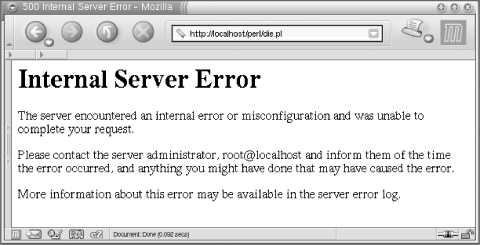
Say you've just installed a new
script, and when you try it out you see the grey screen of death
saying "Internal Server Error"
(Figure 21-1). Or even worse,
you've had a script running on a production server
for a long time without problems, when the same grey screen starts to
show up occasionally for no apparent reason.
Figure 21-1. Internal Server Error
How can you find out what the problem is, before you actually attempt
to solve it?
The first problem is determining the location of the error message.
You have been coding in Perl for years, and whenever an error
occurred in the past it was displayed in the same terminal window
from which you started the script. But when you work with a web
server, the errors do not show up in a terminal. In many cases, the
server has no terminal to which to send the error messages.
Actually, the error messages don't disappear; they
end up in the
error_log file.
Its location is specified by the
ErrorLog
directive in httpd.conf. The default setting is:
ErrorLog logs/error_log
where logs/error_log is appended to the value of
the ServerRoot directive.
If you've followed the convention
we've used in this book and your
ServerRoot is:
ServerRoot /home/httpd/httpd_perl
the full path to the file will be
/home/httpd/httpd_perl/logs/error_log.
Whenever you see "Internal Server
Error" in a browser it's time to
look at this file.
There are cases when errors don't go to the
error_log file. This can happen when the server
is starting and hasn't gotten as far as opening the
error_log file for writing before it needs to
write an error message. In that case, Apache writes the messages to
STDERR. If you have entered a
nonexistent directory path in your ErrorLog
directive in httpd.conf, the error message will
be printed to STDERR. If the error happens when
the server executes a PerlRequire,
PerlModule, or other startup-time directive you
might also see output sent to STDERR. If you
haven't redirected Apache's
STDERR, then the messages are printed to the
console (tty, terminal) from which you started the server.
Note that when you're running the server in
single-process mode (httpd
-X), the usual startup message:
Apache/1.3.24 (Unix) mod_perl/1.26 configured
won't appear in the error_log
file. Also, any startup warnings will be printed to the console,
since in this mode the server redirects its STDERR stream to the
error_log file only at a later stage.
The first problem is solved: we know where the error messages are.
The second problem is,
how useful is
the error message?
The usefulness of the error message depends to some extent on the
programmer's coding style. An uninformative message
might not help you spot and fix the error.
For example, let's take a function that opens a file
passed to it as a parameter for reading. It does nothing else with
the file. Here's the first version of the code:
my $r = shift;
$r->send_http_header('text/plain');
sub open_file {
my $filename = shift;
die "No filename passed" unless defined $filename;
open FILE, $filename or die;
}
open_file("/tmp/test.txt");
Let's assume that /tmp/test.txt
doesn't exist, so the open( )
call will fail to open the file. When we call this script from our
browser, the browser returns an "Internal Server
Error" message and we see the following error
appended to error_log:
Died at /home/httpd/perl/test.pl line 9.
We can use the hint Perl kindly gave to us to find where in the code
die( ) was called. However, we still
won't necessarily know what filename was passed to
this subroutine to cause the program termination.
If we have only one function call, as in the example above, the task
of finding the problematic filename is trivial. Now
let's add one more open_file( )
function call and assume that of the two, only the file
/tmp/test.txt exists:
open_file("/tmp/test.txt");
open_file("/tmp/test2.txt");
When you execute the above call, you will see:
Died at /home/httpd/perl/test.pl line 9.
Based on this error message, can you tell what file your program
failed to open? Probably not. Let's improve it by
showing the name of the file that failed:
sub open_file {
my $filename = shift;
die "No filename passed" unless defined $filename;
open FILE, $filename or die "failed to open $filename";
}
open_file("/tmp/test2.txt");
When we execute the above code, we see:
failed to open /tmp/test2.txt at
/home/httpd/perl/test.pl line 9.
which obviously makes a big difference, since now we know what file
we failed to open.
By the way, if you append a newline to the end of the message you
pass to die( ), Perl won't report
the line number at which the error has happened. If you write:
open FILE, $filename or die "failed to open $filename\n";
the error message will be:
failed to open /tmp/test2.txt
which gives you very little to go on. It's very hard
to debug with such uninformative error messages.
The warn( ) function outputs an error message in the
same way as die( ), but whereas die(
) causes program termination, execution continues normally
after a warn( ). Just like with die(
), if you add a newline to the end of the message, the
filename and the line number from which warn( )
was called won't be logged.
You might want to use warn( ) instead of
die( ) if the failure isn't
critical. Consider the following code:
if (open FILE, $filename) {
# do something with the file
close FILE;
}
else {
warn "failed to open $filename";
}
# more code here...
However, unless you have a really good reason to do otherwise, you
should generally die( ) when your code encounters
any problem whatsoever. It can be very hard to catch a problem that
manifests itself only several hundred lines after the problem was
caused.
A different approach for producing useful warnings and error messages
is to print the function call stack
backtrace. The Carp
module comes to our aid with its cluck(
) function. Consider the script in Example 21-1.
Example 21-1. warnings.pl
#!/usr/bin/perl -w
use strict;
use Carp ( );
local $SIG{_ _WARN_ _} = \&Carp::cluck;
correct( );
incorrect( );
sub correct { print_value("Perl"); }
sub incorrect { print_value( ); }
sub print_value {
my $var = shift;
print "My value is $var\n";
}
Carp::cluck( ) is assigned as a warnings signal
handler. Whenever a warning is triggered, this function will be
called. When we execute the script, we see:
My value is Perl
Use of uninitialized value at ./warnings.pl line 15.
main::print_value( ) called at ./warnings.pl line 11
main::incorrect( ) called at ./warnings.pl line 8
My value is
Take a moment to understand the stack trace in the warning. The
deepest calls are printed first. So the second line tells us that the
warning was triggered in print_value( ) and the
third line tells us that print_value( ) was called
by the subroutine incorrect( ):
script -> incorrect( ) -> print_value( )
When we look at the source code for the function incorrect(
), we see that we forgot to pass the variable to the
print_value( ) function. Of course, when you write
a subroutine like print_value( ),
it's a good idea to check the passed arguments
before starting execution. We omitted that step to contrive an easily
debuggable example.
You can also call Carp::cluck( ) directly in your
code, and it will produce the call-stack backtrace for you. This is
usually very useful during the code development phase.
Carp::confess( ) is like Carp::cluck(
), but it acts as a die( ) function
(i.e., terminates the program) and prints the call-stack backtrace.
The functions Carp::carp(
)
and Carp::croak( ) are two other equivalents of
warn( ) and die( ),
respectivily, but they report about the caller of the function in
which they are used, rather the function itself.
In some cases the built-in caller(
) function can be useful as well, but it
can be a bit cumbersome to use when you need to peek several levels
up the call stack.
When using the warn( ) and die(
) functions, be aware of the following pitfall. Here the
message passed to die( ) is printed with no
problems, assuming the file /does_not_exist
actually doesn't exist:
panic% perl -e 'open F, "/does_not_exist" or die "cannot open the file"'
But now try the same code using the equivalent ||
operator:
panic% perl -e 'open F, "/does_not_exist" || die "cannot open the file"'
Nothing happens! The pitfall lies in the precedence of the
|| operator. The above call is equal to:
panic% perl -e 'open F, ("/does_not_exist" || die "cannot open the file")'
where the left part returns true, and makes this call equivalent to:
panic% perl -e 'open F, "/does_not_exist"'
So the die( ) part has effectively disappeared.
Make sure you always use the low-precendence logical OR operator
or in this situation. Alternatively, you can use
parentheses, but this is less visually appealing:
panic% perl -e 'open(F, "/does_not_exist") || die("cannot open the file")'
Only the first pair of parentheses is really needed here, but to be
consistent we use them through the whole statement.
Now let's return to improving the warning and error
messages. The failing code reports the names of the problematic
files, but we still don't know the real reason for
the failure. Let's try to improve the warn(
) example. The -r operator tests whether
the file is readable:
if (-r $filename) {
open FILE, $filename;
# do something with file
}
else {
warn "Couldn't open $filename - doesn't exist or is not readable";
}
Now if we cannot read the file we do not even try to open it. But we
still see a warning in error_log:
Couldn't open /tmp/test.txt - doesn't exist or is not readable
at /home/httpd/perl/test.pl line 9.
The warning tells us the reason for the failure, so we
don't have to go to the code and check what it was
trying to do with the file.
It could be quite a coding overhead to explain all the possible
failure reasons that way, but why reinvent the wheel? We already have
the reason for the failure stored in the $!
variable. Let's go back to the open_file(
) function:
sub open_file {
my $filename = shift;
die "No filename passed" unless defined $filename;
open FILE, $filename or die "failed to open $filename: $!";
}
open_file("/tmp/test.txt");
This time, if open( ) fails we see:
failed to open /tmp/test.txt: No such file or directory
at /home/httpd/perl/test.pl line 9.
Now we have all the information we need to debug these problems: we
know what line of code triggered die( ), we know
what file we were trying to open, and we also know the reason,
provided by Perl's $! variable.
Note that there's a big difference between the
following two commonly seen bits of Perl code:
open FILE, $filename or die "Can't open $filename: $!";
open FILE, $filename or die "Can't open $filename!";
The first bit is helpful; the second is just rude. Please do your
part to ease human suffering, and use the first version, not the
second.
To show our useful error messages in action, let's
cause an error. We'll create the file
/tmp/test.txt as a different user and make sure
that it isn't readable by Apache processes:
panic% touch /tmp/test.txt
panic% chmod 0600 /tmp/test.txt # -rw-------
Now when we execute the latest version of the code, we see:
failed to open /tmp/test.txt: Permission denied
at /home/httpd/perl/test.pl line 9.
Here we see a different reason: we created a file that
doesn't belong to the user the server runs as
(usually nobody). It does not have permission to
read the file.
Now you can see that it's much easier to debug your
code if you validate the return values of the system calls and
properly code arguments to die( ) and
warn( ) calls. The open( )
function is just one of the many system calls Perl provides.
Second problem solved: we now have useful error messages.

So now you can code and see error messages from mod_perl scripts and
modules as easily as if they were plain Perl scripts that you
execute from a shell.
21.1.4. Displaying Errors to Users
If you spend a lot of time browsing the
Internet, you will see many error messages, ranging from generic but
useless messages like "An error has
happened" to the cryptic ones that no one
understands. If you are developing a user-friendly system,
it's important to understand that the errors are
divided into at least two major groups:
user
related and server related. When an
error happens, you want to notify either a user or a server
administrator, according to the category of the error. In some cases
you may want to notify both.
If you set a file-upload limit to 1 MB and a user tries to upload a
file bigger than the limit, it is a user error. You should report
this error to the user, explain why the error has happened, and tell
the user what to do to resolve the problem. Since we are talking
about the Web, the error should be sent to the
user's browser. A system administrator usually
doesn't care about this kind of error, and therefore
probably shouldn't be notified, but it may be an
indication of an attempt to compromise the server, so that may be a
reason to notify the administrator.
If the user has successfully uploaded a file, but the server has
failed to save this file for some reason (e.g., it ran out of free
disk space), the error should be logged in
error_log if possible and the system
administrator should be notified by email, pager, or similar means.
Since the user couldn't accomplish what she was
trying to do, you must tell her that the operation failed. The user
probably doesn't care why the operation has failed,
but she would want to know how to resolve it (e.g., in the worst
case, tell her to try again later). The actual reason for the error
probably shouldn't be displayed—if you do, it
will probably only confuse the user. Instead, you should nicely
explain that something went wrong and that the system administrator
has been notified and will take care of the problem as soon as
possible. If the service is very mission-critical, you probably need
to provide the user with some problem tracking number and a way to
contact a human, so she will be able to figure out when the problem
has been resolved. Alternatively, you may want to ask for the
user's email address and use this to follow up on
the problem.
Some applications use:
use CGI::Carp qw(fatalsToBrowser);
which sends all the errors to the browser. This
module might be useful in development, if you have a problem
accessing your server using an interactive session, so you can see
the contents of the error_log file. But please
don't leave this line in the production version of
your code. Instead, trap the errors and decide what to do about each
error separately. To trap
errors, you can use the eval(
) exception-handling mechanism:[49]
[49]Notice the
semicolon after the eval { } block.
eval {
# do something
};
if ($@) {
# decide what to do about the error stored in $@
}
which is equivalent to the C++/Java/other languages concept of:
try {
# do something
}
catch {
# do something about errors
}
There are also CPAN modules, such as
Error and Exception::Class,
that use the same approach but provide a special interface for doing
exception handling (and also provide additional functionality).
Another technique is to assign a signal handler:
$SIG{_ _DIE_ _} = sub {
print STDERR "error: ", join("\n", @_), "\n";
exit;
};
When die( ) is called, this anonymous function
will be invoked and the argument list to die( )
will be forwarded to it. So if later in the code you write:
die "good bye, cruel world";
the code will print to STDERR (which under
mod_perl usually ends up in error_log):
error: good bye, cruel world
and the normal program flow will be aborted, since the handler has
called exit( ).
If you don't localize this setting as:
local $SIG{_ _DIE_ _} = sub {...};
it affects the whole process. It also interferes with
Perl's normal exception mechanism, shown earlier; in
fact, it breaks Perl's exception handling, because a
signal handler will be called before you get the chance to examine
$@ after calling the eval
block.
You can attempt to work around this problem by checking the value of
$^S, which is true when the code is running in the
eval block. If you are using
Apache::Registry or a similar module, the code is
always executed within an eval block, so this is
not a good solution.
Since the signal handler setting is global, it's
possible that some other module might try to assign its own signal
handler for _ _DIE_ _, and therefore there will be
a mess. The two signal handlers will conflict with each other,
leading to unexpected behavior. You should avoid using this
technique, and use Perl's standard
eval exception-handling mechanism instead. For
more information about exception handling, see http://perl.apache.org/docs/general/perl_reference/perl_reference.html#Exception_Handling_for_mod_perl.