Contents


On-line Guides
All Guides
Linux for Beginners
Office Productivity
Linux Installation
Linux Security
Linux Utilities
Linux Virtualization
Linux Kernel
System/Network Admin
Programming
Scripting Languages
Development Tools
Web Development
GUI Toolkits/Desktop
Databases
Mail Systems
Book Store

How To Guides
Virtualization
General System Admin
Linux Security
Linux Filesystems
Web Servers
Graphics & Desktop
PC Hardware
Windows
Problem Solutions


32.2. Display Hardware Settings

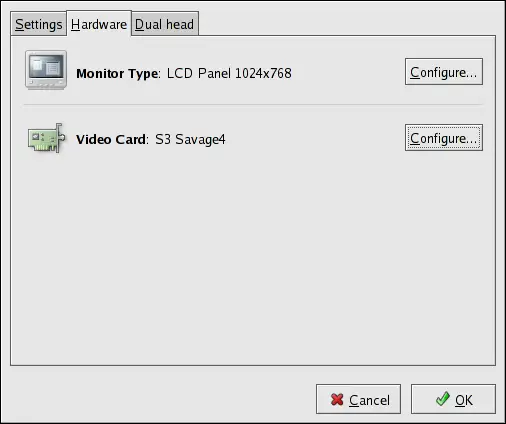
When the application is started, it probes the monitor and video card. If the hardware is probed properly, the information for it is shown on the Hardware tab as shown in Figure 32-2.

Figure 32-2. Display Hardware Settings

To change the monitor type or any of its settings, click the corresponding Configure button. To change the video card type or any of its settings, click the Configure button beside its settings.

 
 
  Published under the terms of the GNU General Public License Design by Interspire