If you didn't have a Change Passwords tab in the Passwords Properties window, then after Windows has finished rebooting, it will ask you to log in with a username and a password. Give yourself the same username and password that you have on the Samba server. After confirming your new username and password, or if you already have one, Windows should ask you if you want to have a profile, using the dialog shown in
Figure 3.4.
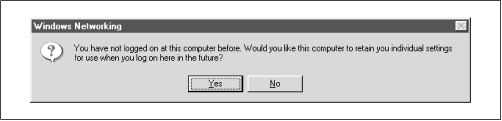
Answer Yes, upon which Windows will create a separate profile and password file for you and save a copy of your password in the file. Now when you connect to Samba, Windows will send its password, which will be used to authenticate you for each share. We won't worry about profiles for the moment; we'll cover them in Chapter 6,
Users, Security, and Domains . We should point out, however, that there is a small security risk: someone can steal the password file and decrypt the passwords because it's weakly encrypted. Unfortunately, there isn't a solution to this with Windows 95/98. In Windows 2000 (NT 5.0), the password encryption should be replaced with a much better algorithm.










