Contents


On-line Guides
All Guides
Linux for Beginners
Office Productivity
Linux Installation
Linux Security
Linux Utilities
Linux Virtualization
Linux Kernel
System/Network Admin
Programming
Scripting Languages
Development Tools
Web Development
GUI Toolkits/Desktop
Databases
Mail Systems

How To Guides
Xen Virtualization
General System Admin
Linux Security
Linux Filesystems
Web Servers
Graphics & Desktop
PC Hardware
Problem Solutions


Chapter�6.�The KSpread Configuration Dialog Box

Pamela Robert

Selecting Settings -> Configure KSpread... opens a dialog box with several pages, selected with the icons at the left of the dialog box, which allow you to change many aspects of KSpread's operation.

Locale Settings


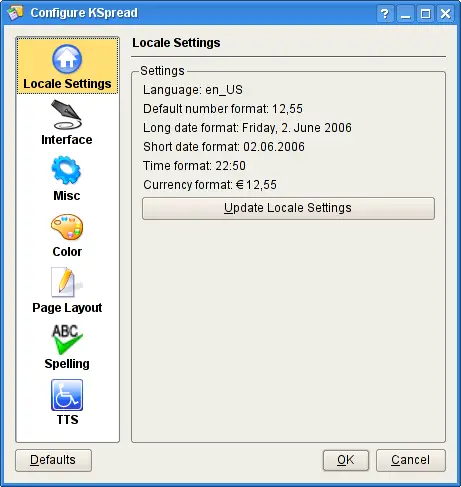
Locale Settings Configuration.

This page of KSpread's configuration dialog box shows how items such as numbers, date, time and money are displayed.

If you have loaded a spreadsheet that was generated using a different locale, then pressing the Update Locale Settings button on this page will update it to conform to your locale settings as they are fixed in KDE Control Center.



  Published under the terms of the GNU General Public License Design by Interspire