One of mod_perl's benefits
is that it can run existing CGI scripts written in Perl that were
previously used under mod_cgi (the standard Apache CGI handler).
Indeed, mod_perl can be used for running CGI scripts without taking
advantage of any of mod_perl's special features,
while getting the benefit of the potentially huge performance boost.
Example 2-1 gives an example of a very simple
CGI-style mod_perl script.
Save this script in the
/home/stas/modperl/mod_perl_rules1.pl file.
Notice that the #! line (colloquially known as the
shebang line) is not needed with mod_perl,
although having one causes no problems, as can be seen in Example 2-2.
The mod_perl_rules1.pl script can be tested from
the command line, since it is essentially a regular Perl script:
panic% perl /home/stas/modperl/mod_perl_rules1.pl
This should produce the following output:
Content-type: text/plain
mod_perl rules!
Make sure the server is running and issue these requests using a
browser:
http://localhost/perl/mod_perl_rules1.pl
If the port being used is not 80 (e.g., 8080), the port number should
be included in the URL:
http://localhost:8080/perl/mod_perl_rules1.pl
Also, the localhost approach will work only if the
browser is running on the same machine as the server. If not, use the
real server name for this test. For example:
http://example.com/perl/mod_perl_rules1.pl
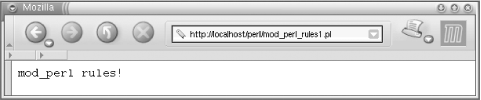
The page rendered should be similar to the one in Figure 2-1.
Figure 2-1. Testing the newly configured server
If you see it, congratulations! You have a working mod_perl server.
If something went wrong, go through the installation process again,
making sure that none of the steps are missed and that each is
completed successfully. You might also look at the
error_log file for error messages. If this does
not solve the problem, Chapter 3 will attempt to
salvage the situation.
Jumping a little bit ahead, Example 2-3
shows the same CGI script written with the
mod_perl API.
Example 2-3. mod_perl_rules2.pl
my $r = Apache->request;
$r->send_http_header('text/plain');
$r->print("mod_perl rules!\n");
The mod_perl API needs a request object, $r, to
communicate with Apache. The script retrieves this object and uses it
to send the HTTP header and print the irrefutable fact about
mod_perl's coolness.
This script generates the same output as the previous one.
As you can see, it's not much harder to write your
code using the mod_perl API. You need to learn the API, but the
concepts are the same. As we will show in the following chapters,
usually you will want to use the mod_perl API for better performance
or when you need functionality that CGI
doesn't provide.
2.6.1. Porting Existing CGI Scripts to mod_perl
Now
it's time to move
any existing CGI scripts from the
/somewhere/cgi-bin directory to
/home/stas/modperl. Once moved, they should run
much faster when requested from the newly configured base URL
(/perl/). For example, a CGI script called
test.pl that was previously accessed as
/cgi-bin/test.pl can now be accessed as
/perl/test.pl under mod_perl and the
Apache::Registry module.
Some of the scripts might not work immediately and may require some
minor tweaking or even a partial rewrite to work properly with
mod_perl. We will talk in depth about these issues in Chapter 6. Most scripts that have been written with care
and developed with warnings enabled and the strict
pragma[15]
will probably work without any modifications at all.
[15]Warnings and strict abort
your script if you have written sloppy code, so that you
won't be surprised by unknown, hidden bugs. Using
them is generally considered a good thing in Perl and is
very important in mod_perl.
A quick solution that
avoids
most rewriting or editing of existing scripts that do not run
properly under Apache::Registry is to run them
under Apache::PerlRun. This can be achieved by
simply replacing Apache::Registry with
Apache::PerlRun in
httpd.conf. Put the following configuration
directives instead in httpd.conf and restart the
server:
Alias /perl/ /home/stas/modperl/
PerlModule Apache::PerlRun
<Location /perl/>
SetHandler perl-script
PerlHandler Apache::PerlRun
Options ExecCGI
PerlSendHeader On
Allow from all
</Location>
Almost every script should now run without problems; the few
exceptions will almost certainly be due to the few minor limitations
that mod_perl or its handlers have, but these are all solvable and
covered in Chapter 6.
As we saw in Chapter 1,
Apache::PerlRun is usually useful while
transitioning scripts to run properly under
Apache::Registry. However, we
don't recommend using
Apache::PerlRun in the long term; although it is
significantly faster than mod_cgi, it's still not as
fast as Apache::Registry and mod_perl handlers.