| |
Reference: The Right Mouse Button Menu
| |
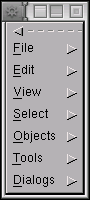
The right mouse button anywhere on a canvas will bring up a diagram
specific menu. From here all of the operations are available,
including those to save, print and export the file, to cut and paste,
to select various objects or regions, to group objects and to layer
objects, to operate on objects with various tools, and to edit the
object properties and layout.
The middle mouse button will bring up an object-specific menu. Double
clicking an object will bring up the properties editor for that
object.
Subsections
Copyright © 1995-2006 [email protected]
|
|










