|
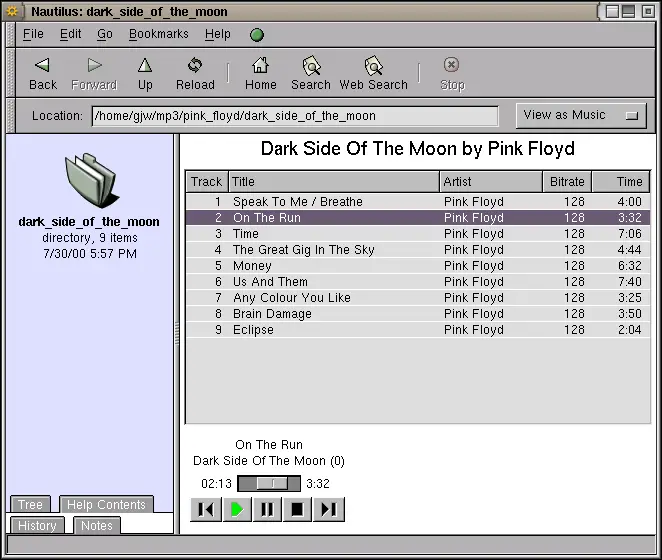
Navigation will be familiar to any user, with the usual Back, Forward,
Up, Reload, Home, Search and Web Search buttons in the toolbar.
The main window has two panels with the left hand panel containing
tabs to access different components.
The right hand panel displays folders and documents in a rich variety
of ways. Users will be familiar with the View as List and
View as Icons Folder displays.
Folders containing mp3 music can be displayed using the View
as Album component, which provides a specialised view of your music
collection as an album, designed to allow easy music listening.
Selecting an mp3 file starts it playing automatically.
Figure 65.1:
Nautilus View as Music.
|
|
It can also display the album artwork if you have that available. To
link the artwork in you need to.
Copyright © 1995-2006 [email protected]
|