The New Guide (by Percent) command adds
a guide to the image. The position of the guide is specified as a
percentage of the Height and Width.
Tip
You can add guides to the image more quickly by simply clicking and
dragging guides from the image rulers and positioning them where you
would like. Guides you draw with click-and-drag are not as precisely
positioned as those you draw with this command, however.
9.24.1.
Activating the Command
You can access this command from the image menubar through
Image->Guides->New Guide (by Percent).
9.24.2.
“New Guide (by Percent)” Options
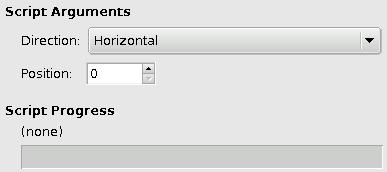
Figure 10.74.
The “New Guide (by Percent)” Dialog
Direction
You can choose the Direction of the guide,
either Horizontal or
Vertical, by using the drop-down list.
Published under the terms of the GNU General Public License